
The merchant runs the app.
Design, theme, campaigns and publishing in one panel. Every screen has one job, and no technical knowledge is needed.
App designer
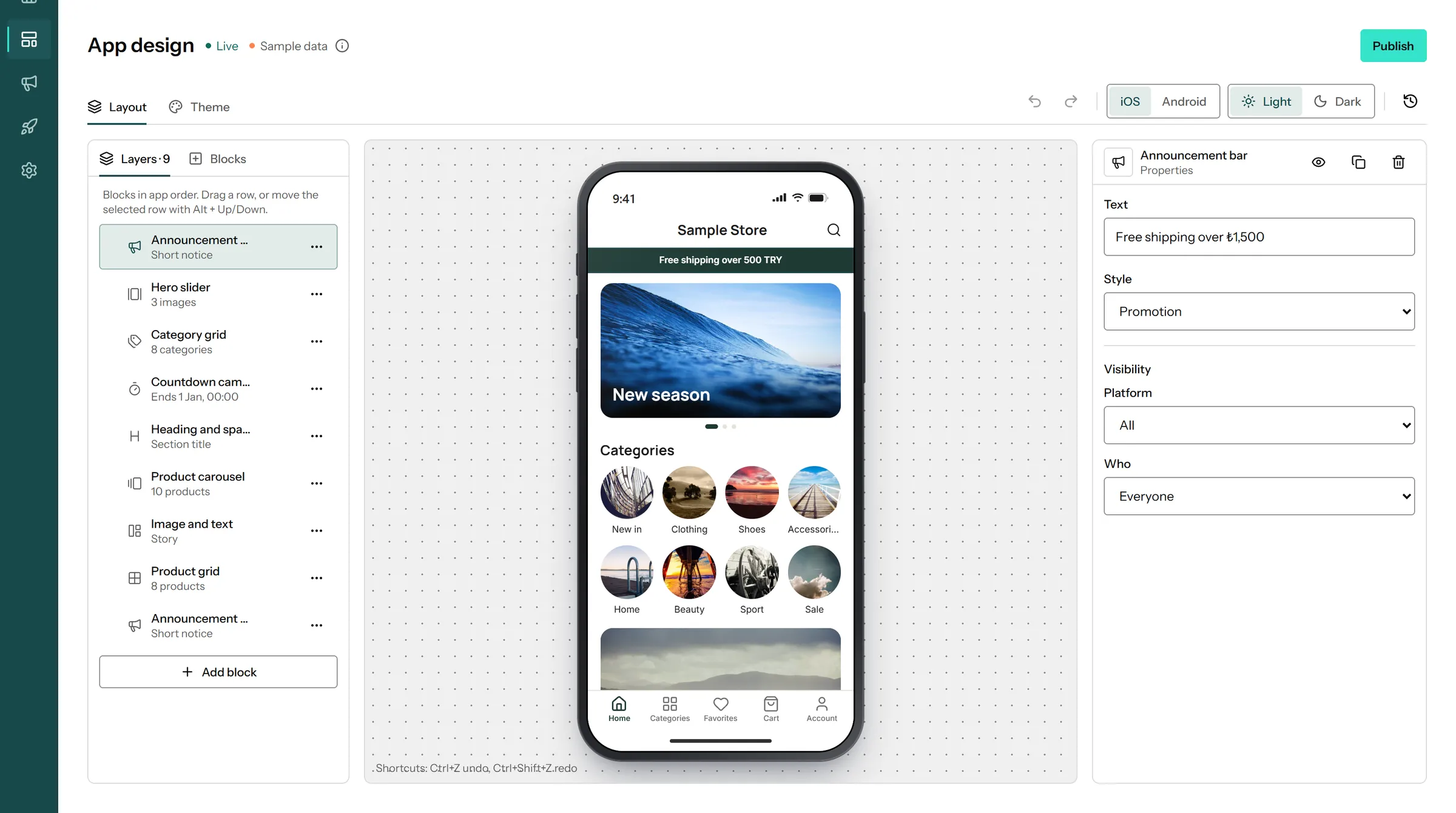
The home screen is built from blocks. Add a block, drag to reorder, and show or hide it by platform and audience.
Blocks
- Announcement bar
- Hero slider
- Category grid
- Product carousel
- Product grid
- Countdown campaign
- Image and text
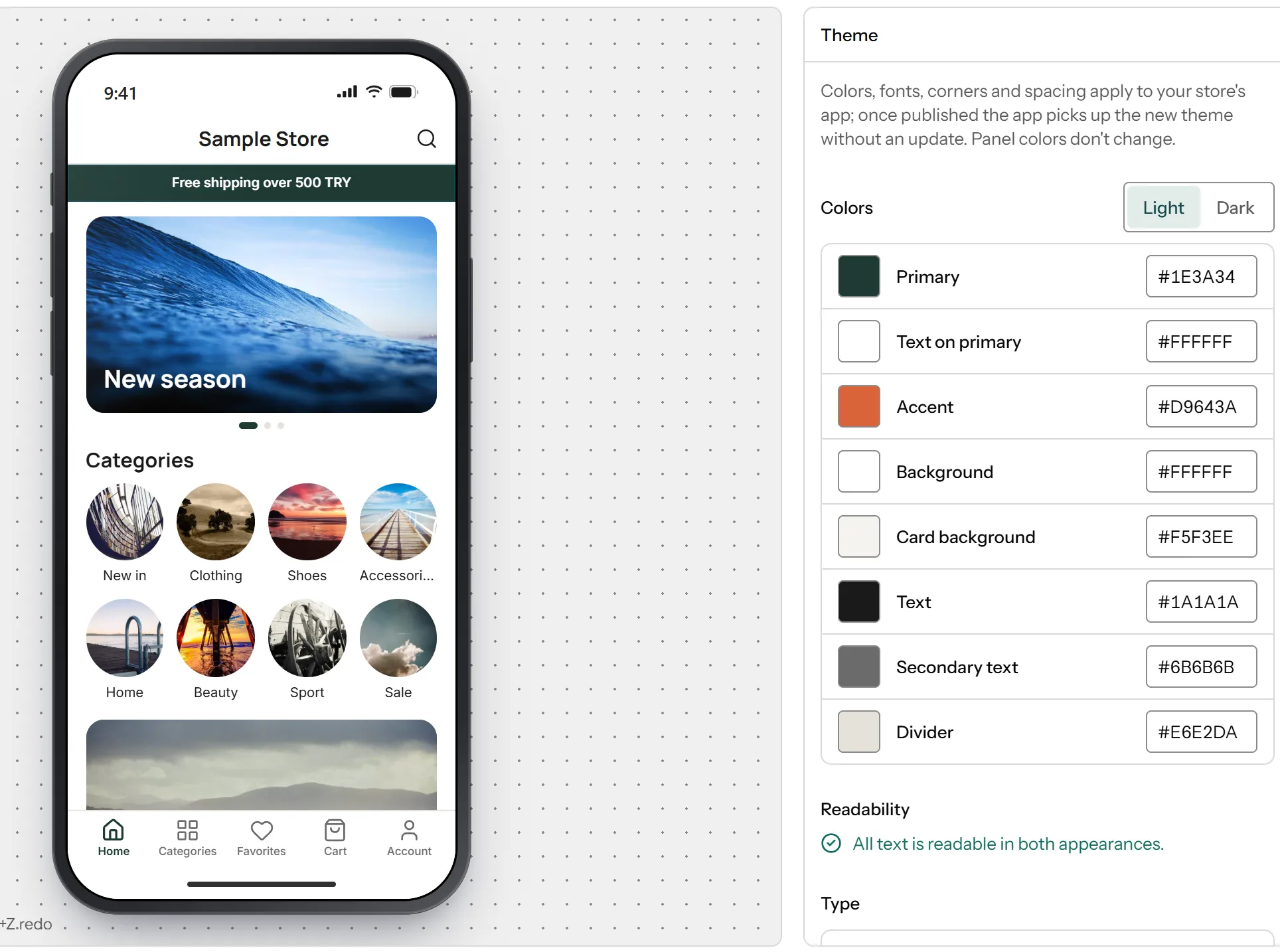
Theme
The store's colors, typeface, corner radius and density are set in the panel. A dark theme is generated automatically and can be adjusted by hand. Changes reach the app without a release.
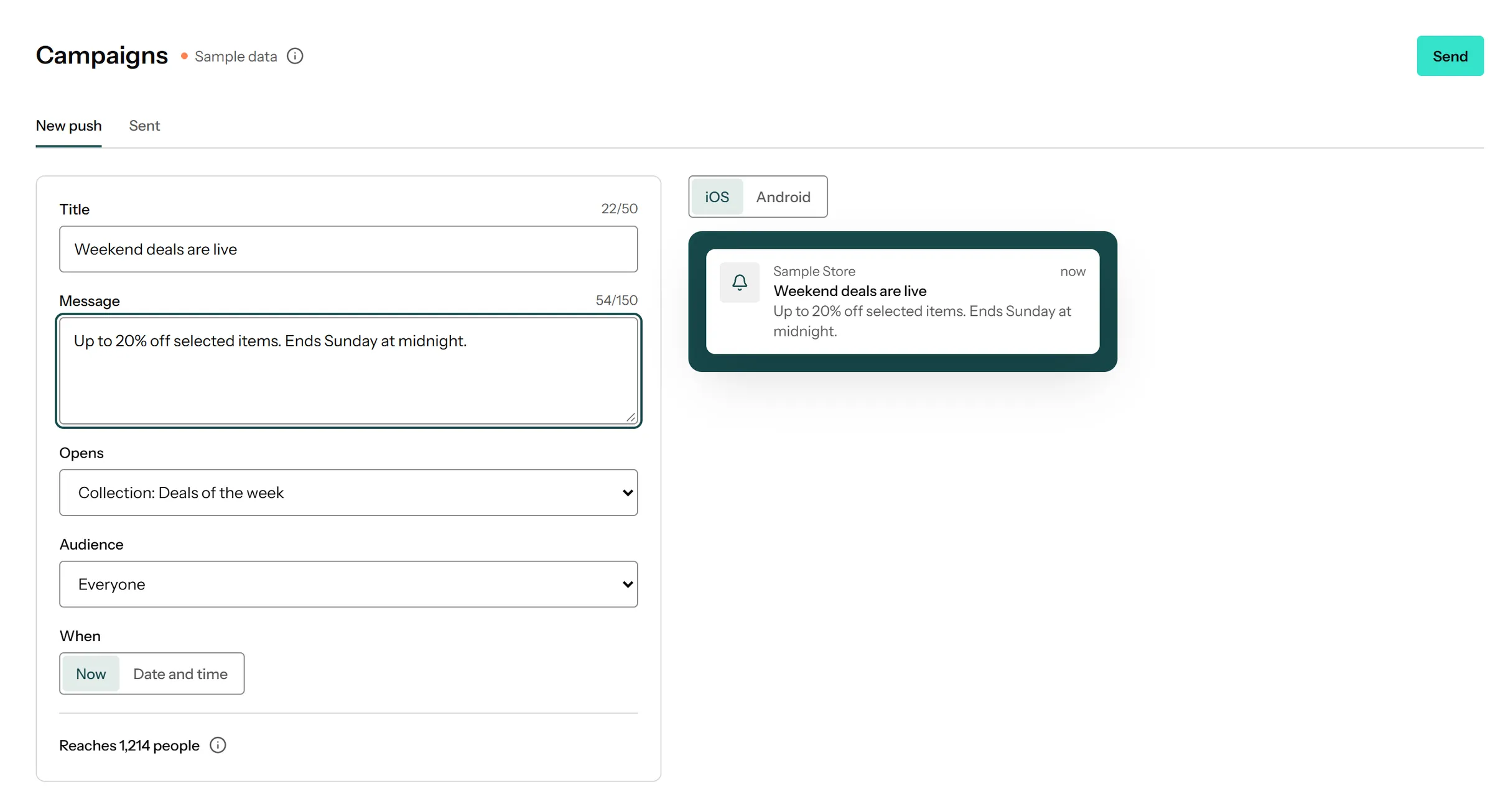
Campaigns and notifications
Title, message, audience and the page to open are chosen on one screen. Send now or schedule for later, with iOS and Android previews.
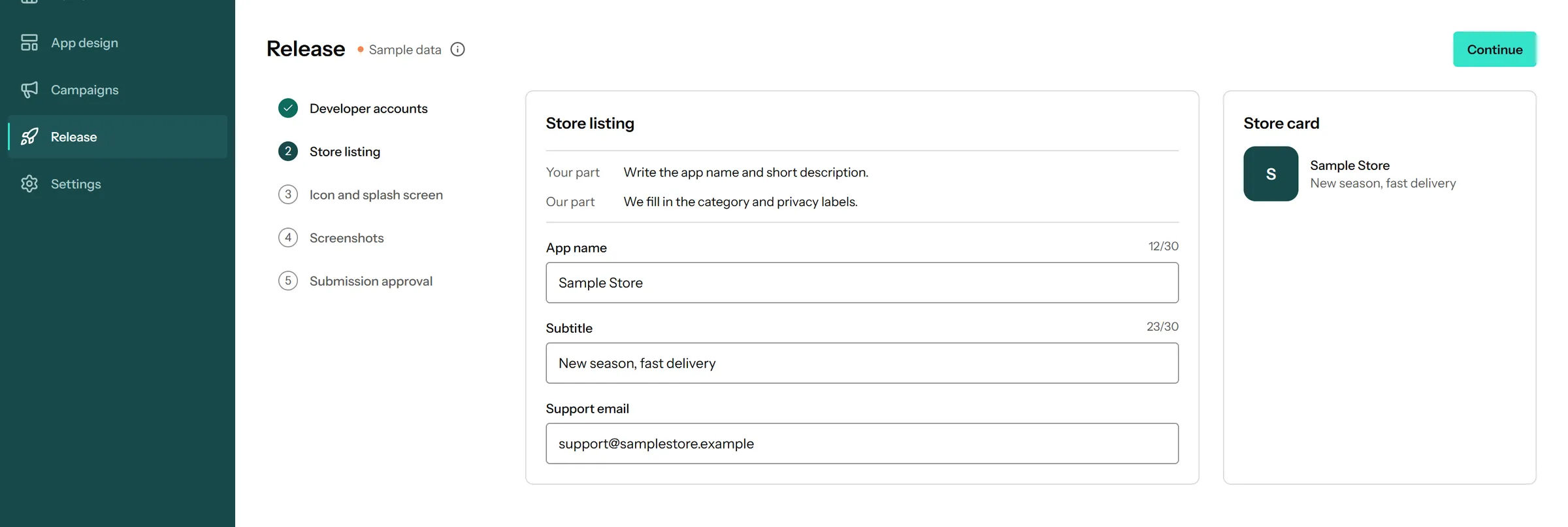
Publishing and updates
Each app is published from the store's own developer accounts. Updates roll out to a small group first; if something looks wrong, they roll back in one step.
Screens captured with sample store data.
For shoppers
Fast start
Home screen and catalog are kept on the device, so the app opens without waiting.
Offline catalog
If the connection drops, the last seen products and prices stay visible.
Search that understands the language
Search and suggestions handle local characters and spelling correctly.
Account deletion in the app
Shoppers can request account deletion in the app, confirmed by email.
For merchants
Opens inside the store admin
Where the platform allows it, the panel opens inside the store's own admin; no separate password.
Two languages
Panel and app copy are ready in English and Turkish.
Account health
Platform connection, Apple membership and Google account status are on the home screen.
Version history
Every publish is recorded; earlier designs can be restored.
See a store's app running, live.
We'll show you the app, the panel and a live store connection in about 45 minutes.