
Your online store, as a native app under your own brand.
Appgrade builds and runs branded iOS and Android shopping apps for e‑commerce stores. Catalog, search and cart are native. Checkout stays on the store's existing payment and order system. Merchants run the app from one panel.
Published from the store's own Apple and Google accounts.
Home screen publishedLive in the app, no release needed
Measured on a live pilot store, with its real catalog.
Pilot store, read-only test, 26 November 2026.
- 1,349products imported in full. Product, category and brand counts match the store exactly.
- 50 / 50discounted products checked; every price identical to the storefront.
- 38 sfirst full catalog import. Later updates land in under a second.
- 0failed requests or rate-limit hits.
The app shoppers keep on their home screen.
Fast, native and unmistakably the store's own. Catalog and cart live in the app; checkout hands over to the store's existing system.
Home
Campaigns, categories and picks, arranged in the panel.
Soft-structured canvas tote with leather handles and an inner zip pocket.
Product
Variants, stock and price straight from the store's catalog.
- Subtotal
- ₺1,889
- Shipping
- Free
- Total
- ₺1,889
Cart
One tap hands the cart to the store's own checkout.
Illustrative screens with sample data.
The app belongs to the store. So do its name, colors and accounts.
The store's own brand
Each app ships with the store's name, logo and colors. Shoppers only ever see the store.
Run from one panel
Home screen, campaigns and notifications are edited in the panel. Design changes don't wait for an app release.
The platform stays the source
Products, prices and stock are read from the store's e‑commerce platform. The catalog is managed exactly where it is today.
Shopping in the app. Checkout on the store's own system.
Shoppers search, browse and add to cart in the app. At checkout, the cart moves to the store's existing checkout in one step.
The store's native app
- Home and campaigns
- Categories and filters
- Search
- Product detail and variants
- Favorites and cart
- Notifications
The store's existing system
- Sign-in and accounts
- Payment, 3D Secure and instalments
- Orders, invoices and shipping
Payment provider, campaign and shipping rules, and order management stay exactly as they are.
How it worksOne panel runs the whole app.
Design, theme, campaigns and release. Every screen has one job, and nothing needs a developer.
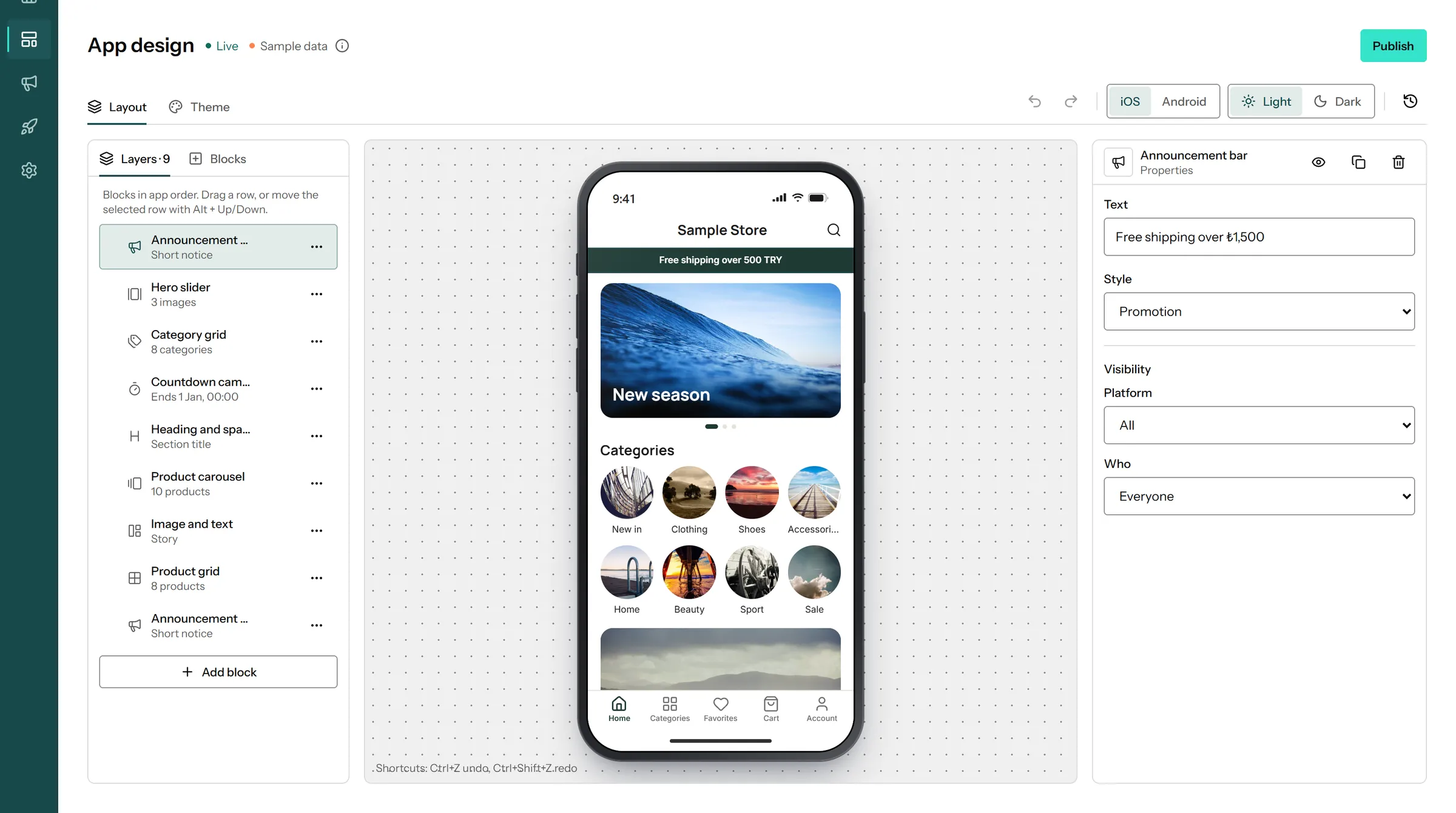
Build the home screen from blocks
Add, reorder and target blocks by platform and audience. The iOS and Android preview updates as you work, with the store's own products.
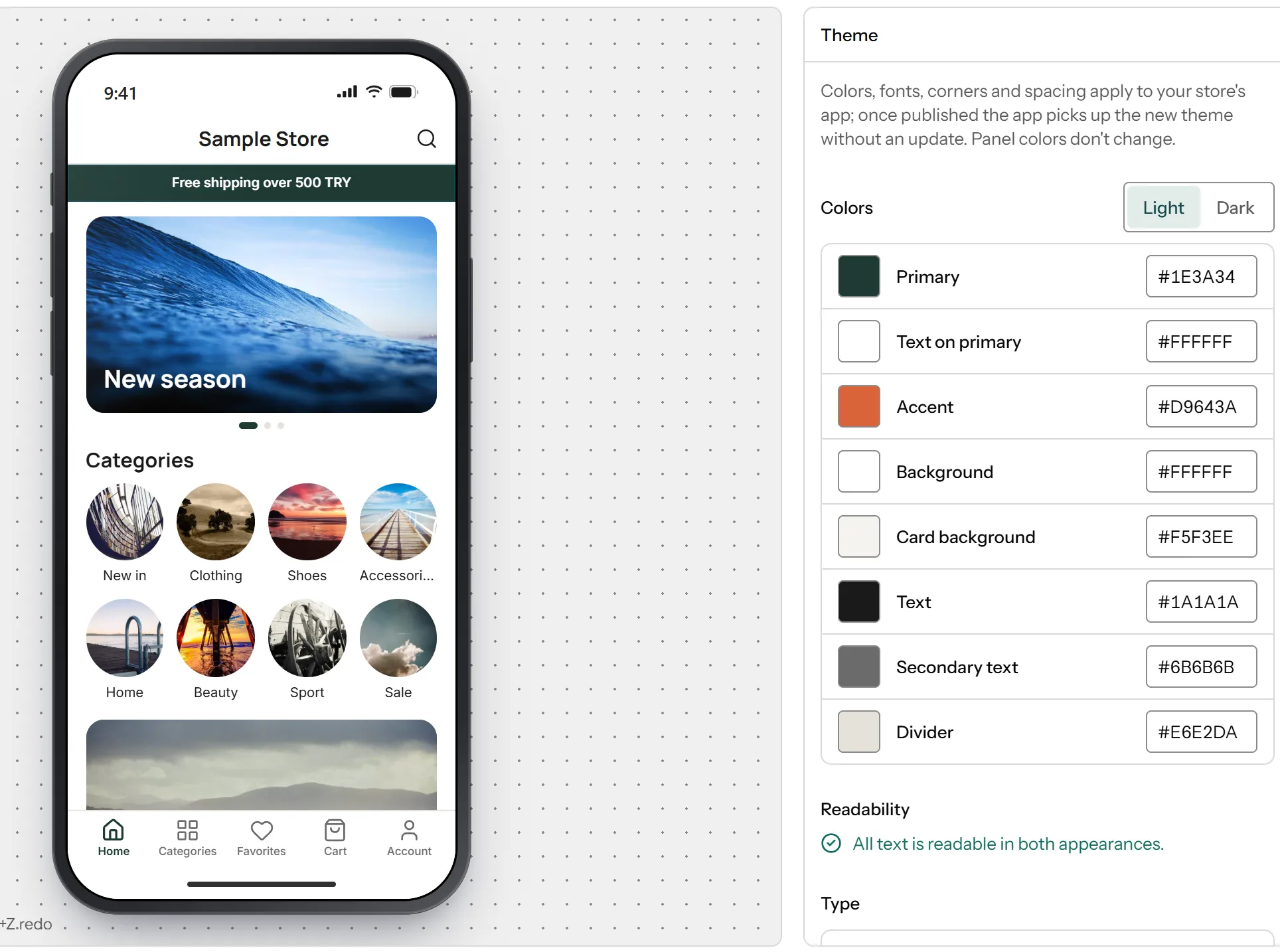
Change the look without a release
Colors, typeface, corners and density. A dark theme is generated automatically, and low-contrast choices are flagged before publishing.
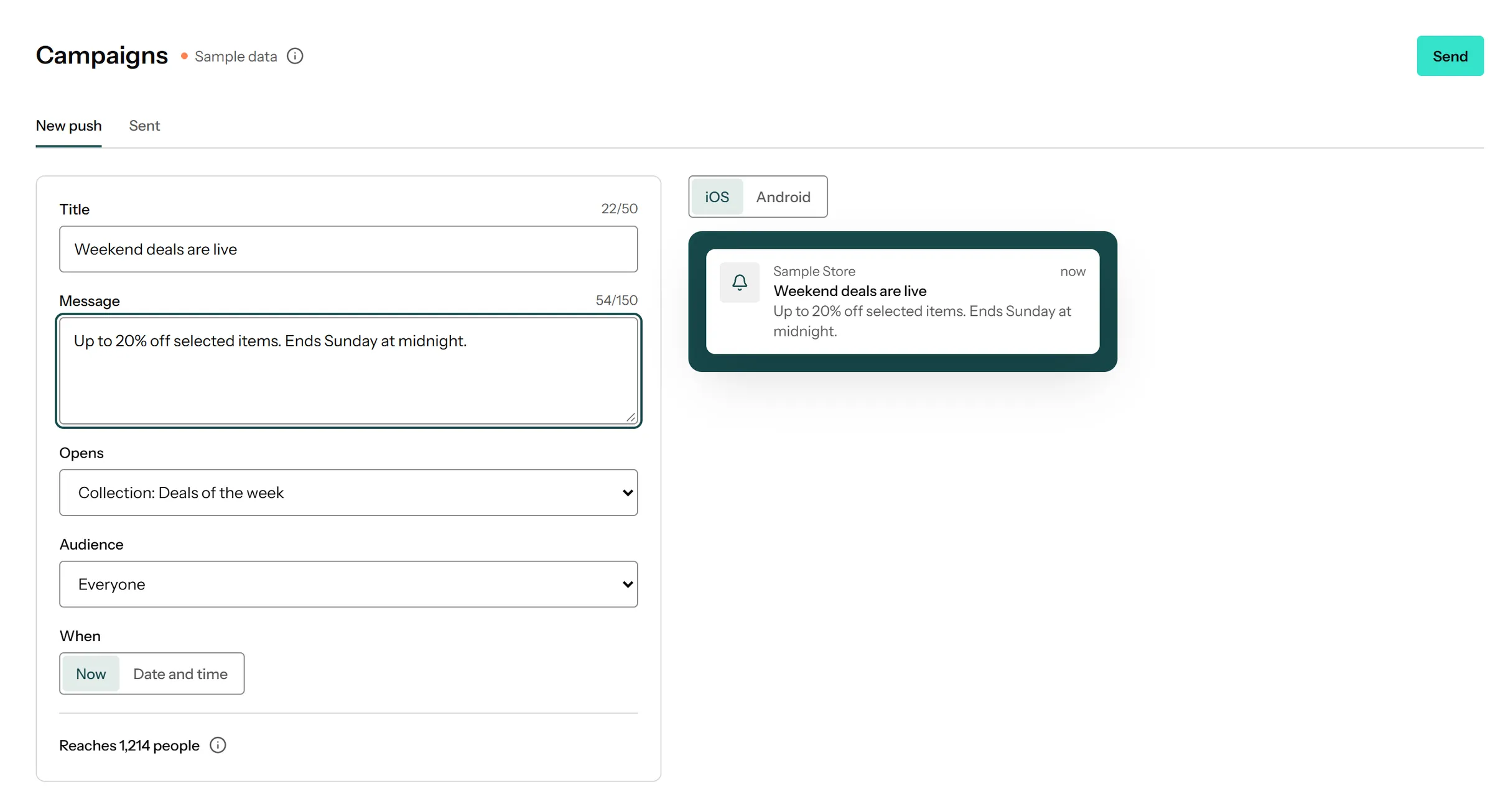
Send a campaign in one screen
Title, message, audience and the page to open. Send now or schedule, with iOS and Android previews side by side.
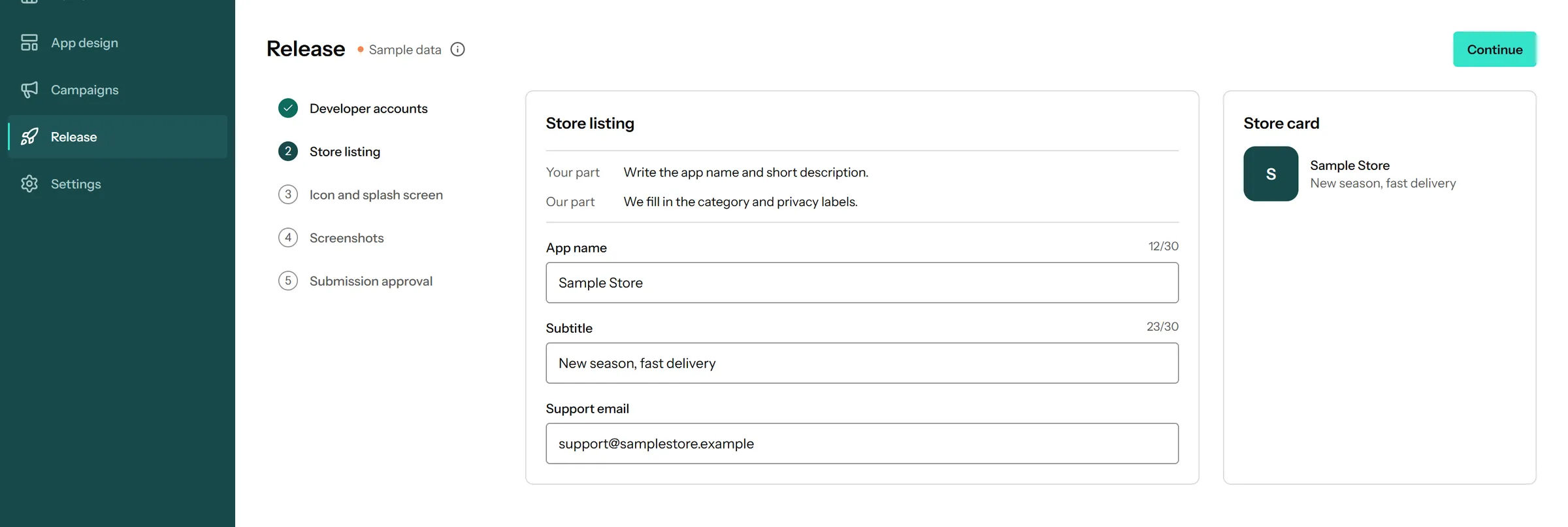
Publish from the store's own accounts
A guided wizard prepares the store listing. We build, submit and roll out updates in stages, with one-step rollback.
Screens captured with sample store data.
Connects to the platform the store already uses.
A connector layer sits between the app and the e‑commerce platform. The app always talks to one Appgrade API; each platform plugs in through its own connector.
| Platform | Status |
|---|---|
 | Live |
 | Coming soon |
Four rules protect store and shopper data.
Access keys never reach the device
Platform access keys are stored encrypted on our servers. The app only talks to the Appgrade API.
Every store's data is isolated
Data is separated at the database level. No store can reach another store's data.
Installs and webhooks are verified
Install requests and webhook signatures are verified. A store that disconnects loses access immediately.
No card or address storage
Card details never enter the app. Personal data is kept to the minimum the app needs.
Each app is published from the store's own accounts.
The developer accounts belong to the store. Building, review preparation and submission are our job.
Developer accounts
The store opens its Apple and Google developer accounts.
Limited access
Only publishing access is granted. No passwords are shared.
Store listing
Name, icon, splash screen and screenshots are prepared in the publishing wizard.
Review and release
The app is built and submitted to Apple and Google with review notes.
See a store's app running, live.
We'll show you the app, the panel and a live store connection in about 45 minutes.